Logic Pro Performance: Complete Guide to Optimizing Your Mac for Music Production
Logic Pro is a professional-grade digital audio workstation (DAW) that has become the go-to choice for Mac users in music production, sound design, mixing, and mastering. While the software is incredibly powerful, many creators face challenges with Logic Pro performance—including latency, CPU overload, and sluggish project handling. Achieving smooth Logic Pro operation on Mac is essential for producing high-quality tracks without interruptions, whether you are a composer, producer, or sound engineer.
Performance depends on several factors: your Mac’s hardware, macOS settings, project size, plugin usage, and workflow management. This comprehensive guide covers system requirements, optimization strategies, workflow tips, plugin management, troubleshooting techniques, and advanced performance enhancements. By following these steps, you can ensure that Logic Pro runs efficiently, reduces latency, handles large projects with ease, and keeps your creative process uninterrupted.
Understanding Logic Pro Efficiency on Mac
Why Low-Latency Recording Matters for Logic Pro Performance
When recording audio, even a few milliseconds of delay can disrupt timing and performance. Poor system efficiency can result in:
Audio latency during live recording or playback
Track freezing or CPU overload when handling multiple virtual instruments and effects
Plugin-induced glitches or crashes
Slow workflow during complex arrangements
Focusing on Logic Pro efficiency ensures you can monitor, record, and edit in real time, maintaining precision and creativity throughout your production process.
Core Mac Components That Affect Logic Pro Performance Workflow
Several key components influence how smoothly Logic Pro operates on your Mac:
CPU (Processor): Handles calculations for audio processing, track playback, and plugin execution. Multi-core Apple Silicon (M1/M2) or Intel i7/i9 processors allow for high track counts and complex projects.
RAM (Memory): Determines how many virtual instruments, samples, and effects can run simultaneously. For large projects, 16–32GB is recommended.
Storage (SSD vs HDD): SSDs reduce loading times, allow fast sample streaming, and improve project export speeds. HDDs are slower and can create bottlenecks.
Graphics (GPU): Important for rendering large project windows and visual effects, though less critical than CPU and RAM.
macOS Version: Ensures compatibility with the latest Logic Pro features and modern plugins, which can affect overall stability and responsiveness.
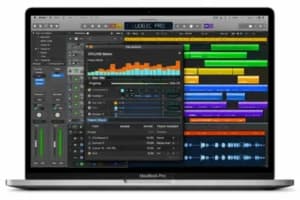
This comprehensive guide covers system requirements, optimization strategies, workflow tips, plugin management, troubleshooting techniques, and advanced performance enhancements for Logic Pro on Mac. It highlights the importance of understanding system efficiency, managing CPU, RAM, and storage, and maintaining macOS to ensure smooth operation and high-quality music production.
0 Comments