Microsoft introduced Agent 365 Business Analytics at Ignite 2026 on November 17, pitching a tool that helps business leaders connect AI spending with outcomes and assess return on investment. AI, meet the budget review. Source Source
Microsoft’s own walkthrough describes AI-value calculations based on comparable human work. That’s an estimate of value, not a demonstration of cash saved. Source
What goes into the value figure
In a Microsoft Mechanics walkthrough, Microsoft 365 director Jeremy Chapman explains that the tool’s use-case views show session counts, costs and AI value. Those value calculations are based on “the task work and timing that it would take a person to perform comparable work,” using official sources including the U.S. Department of Labor, he says. Source
Microsoft’s Ignite announcement also lists success rate, user satisfaction and assisted hours as measures leaders can use to assess value. Source
Neither the live-blog announcement nor the Mechanics walkthrough lays out a complete formula or explains how errors, rework and full implementation costs factor into the value calculation. Source Source
Tracking the bill—and cutting off spending
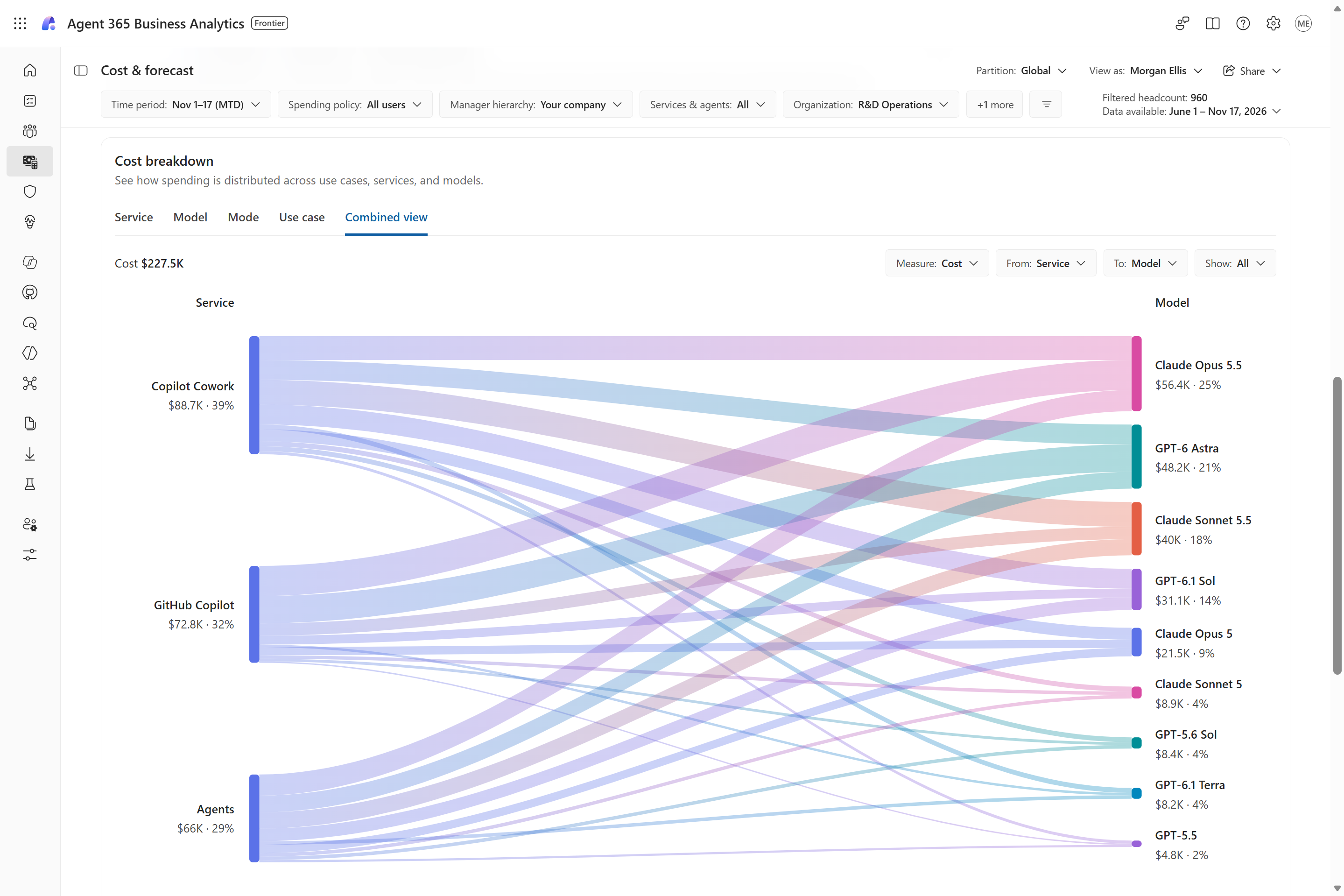
Microsoft’s walkthrough describes spending breakdowns by service, model provider and use case. Depending on their permissions, leaders can view the organization as a whole or filter by manager hierarchy, organizational unit or job function. Microsoft also lists Q&A, custom reports and options to extend analysis into existing reporting tools and data lakes. Source Source
The Cost & Forecast view projects month-end spending and lets budget owners model changes such as spending caps, expanded access or a shift to lower-cost models. Source
Microsoft separately describes Agent 365 Cost Management as a central place for admins to set spending policies and receive alerts. Its walkthrough shows policies scoped to users, groups or shared resources such as an agent, with authorized budget owners able to manage policies through Business Analytics. Source Source
Those limits aren’t merely a sternly worded notification. Microsoft says services covered by a policy will be interrupted when its hard limit is reached. Who can view spending, edit limits or delegate control depends on assigned permissions. Source
The announcement and walkthrough don’t clearly establish rollout scope, eligibility or licensing for Business Analytics. Source Source






Comments