
Codex integrates MagicPath for in-platform app design
Codex integrates MagicPath as an embedded native canvas. Users can now design and build fully functional apps inside Codex with added contextual awareness for editing selected images or components. MagicPath, created by founder and CEO Pietro Schirano, operates as a shared workspace for humans and agents. Supporting agent skills are packaged in the MagicPathAI/agent-skills GitHub repository and installable through Vercel’s skills CLI or as a Claude Code plugin.
 #1286Dan Shipper 📧@DANSHIPPER
Codex-native apps are the future.
 Pietro Schirano@skirano
You can now run MagicPath as a native canvas inside Codex to design and build functional apps. It's pretty incredible. Here's how to do it 👇
@skirano Ooooh so cool!
Pietro Schirano@skirano@danshipper Agree :)
#1465Pietro Schirano@SKIRANO@danshipper Agree :)
Pietro Schirano@skiranoYou can now run MagicPath as a native canvas inside Codex to design and build functional apps. It's pretty incredible. Here's how to do it 👇
#1465Pietro Schirano@SKIRANOYou can now run MagicPath as a native canvas inside Codex to design and build functional apps.
It's pretty incredible.
Here's how to do it 👇

First, grab the MagicPath skill, just paste this inside Codex. The agent will walk you through the installation, logging into our app and the CLI.
"Install this skill npx skills add https://github.com/magicpathai/agent-skills --skill magicpath"
If you get stuck, just ask Codex for help.
 Pietro Schirano@skirano
You can now run MagicPath as a native canvas inside Codex to design and build functional apps. It's pretty incredible. Here's how to do it 👇
Then open the web browser pointing to http://MagicPath.ai, log in, open a new file, and you're done.
We built the skill so Codex is aware of your open project (you can also ask Codex to work on any file you want, or start a new one).
 Pietro Schirano@skirano
First, grab the MagicPath skill, just paste this inside Codex. The agent will walk you through the installation, logging into our app and the CLI. "Install this skill npx skills add https://github.com/magicpathai/agent-skills --skill magicpath" If you get stuck, just ask Codex for help.
For extra coziness, I recommend collapsing our chat and resizing the Codex one, it literally looks like an entire new app.
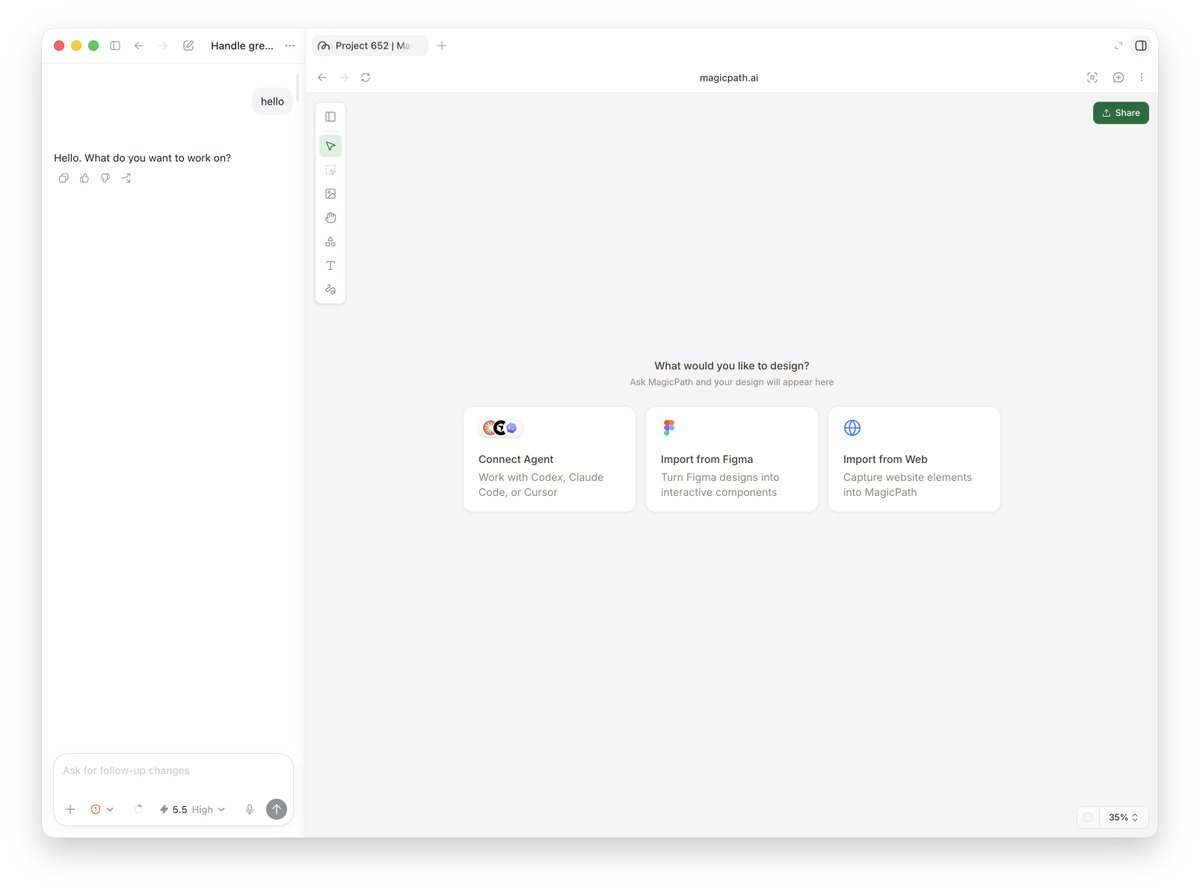 Pietro Schirano@skirano
Then open the web browser pointing to http://MagicPath.ai, log in, open a new file, and you're done. We built the skill so Codex is aware of your open project (you can also ask Codex to work on any file you want, or start a new one).
Codex will also be aware when you select an image or a component in MagicPath for further edits!
Pietro Schirano@skiranoYou can now run MagicPath as a native canvas inside Codex to design and build functional apps. It's pretty incredible. Here's how to do it 👇
Using Codex (or any other external agent) does NOT consume MagicPath credits. Free accounts have an API call limit, unlimited for Pro and Teams.
Pietro Schirano@skiranoYou can now run MagicPath as a native canvas inside Codex to design and build functional apps. It's pretty incredible. Here's how to do it 👇