ChatGPT announced Space for Plus users on November 20, 2026, highlighting collaborative tools for creating interactive pages, slides and sites alongside ChatGPT. Mobile page editing is included, too, giving the project plan one fewer reason to leave you alone when you step away from your desk. Source Source
The expansion accompanies a broader app refresh. In an earlier post, @ajambrosino announced a “new, simpler visual design across the app,” completely rebuilt threads and a redesigned Space home. The post also promised faster pages and slides, app-wide performance improvements and more reliable Codex Remote. Source
ChatGPT’s account separately described Space as smoother and more reliable. Neither announcement supplies benchmarks, so those performance gains remain claims rather than stopwatch results. Source Source
What Space does
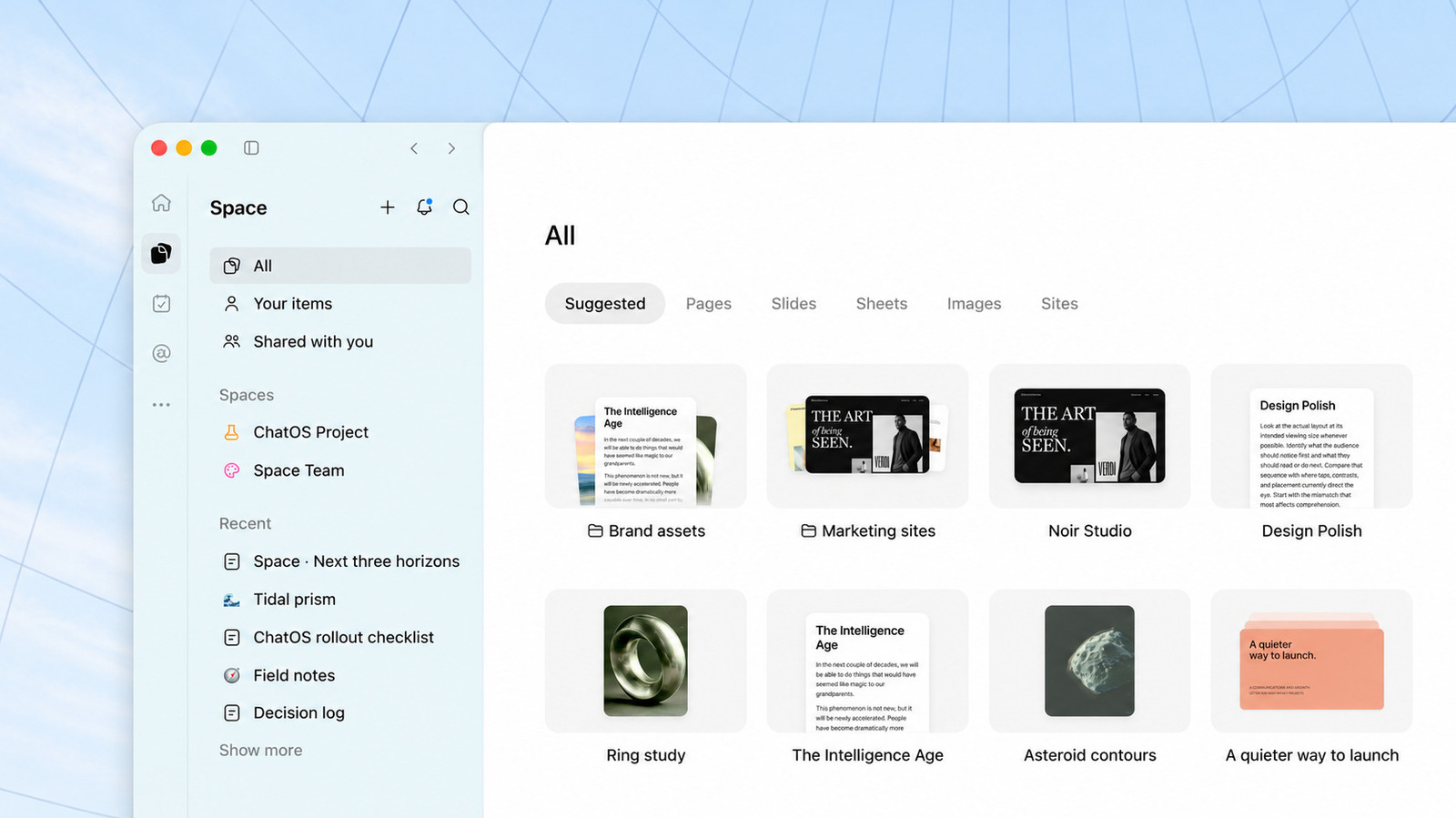
ChatGPT describes Space as the sidebar home for pages, slides, images, files and uploads. Its product-page FAQ says you can start from a template or ask ChatGPT to turn an existing conversation into a page, then add source files and refine the work. The page lists Plus, Pro, Business and Enterprise as supported plans. Source Source
Pages can combine writing, images and interactive charts, while slides can include images and graphics and be shared with collaborators, according to ChatGPT’s announcement thread. Source
ChatGPT says pages and slides can be set to update automatically from connected tools—for example, to refresh a to-do list, project tracker or itinerary. The product-page FAQ says recurring updates require an automation with instructions for what to update, which sources to use and how often to run. It also tells users to return and review the changes. Source Source
Shared work, not your entire chat history
According to the product page, collaborators with edit access can work on the same page, leave comments and ask their own ChatGPT to help make changes. Sharing controls let you choose view or edit access, subject to workspace rules and admin settings. Source
ChatGPT says sharing a page does not give collaborators access to your private chats or personal memory. But anything copied or summarized onto that page is visible to people with page access—even if the original linked file retains its own permissions. A restricted source file isn’t an invisibility cloak for the paragraph you pasted into the shared draft. Source
To get started, look for Space in the ChatGPT sidebar and expand the sidebar if it’s collapsed. The announcements don’t specify minimum mobile app versions or when every eligible account will have access. Source Source Source





Comments