xAI expands its Grok Build terminal coding assistant beta to Premium+ and SuperGrok subscribers
The tool deploys parallel sub-agents to execute tasks.
 #76Elon Musk@ELONMUSK
Grok Build is still in beta for another month or so, but is already quite useful for production tasks
 #341Bill Yuchen Lin@BILLYUCHENLIN
Please try Grok Build, now available for SuperGrok and X Premium+ too! Share any feedback and what you have built!
We’re iterating our model and product extremely quickly. 🚀
 xAI@xai
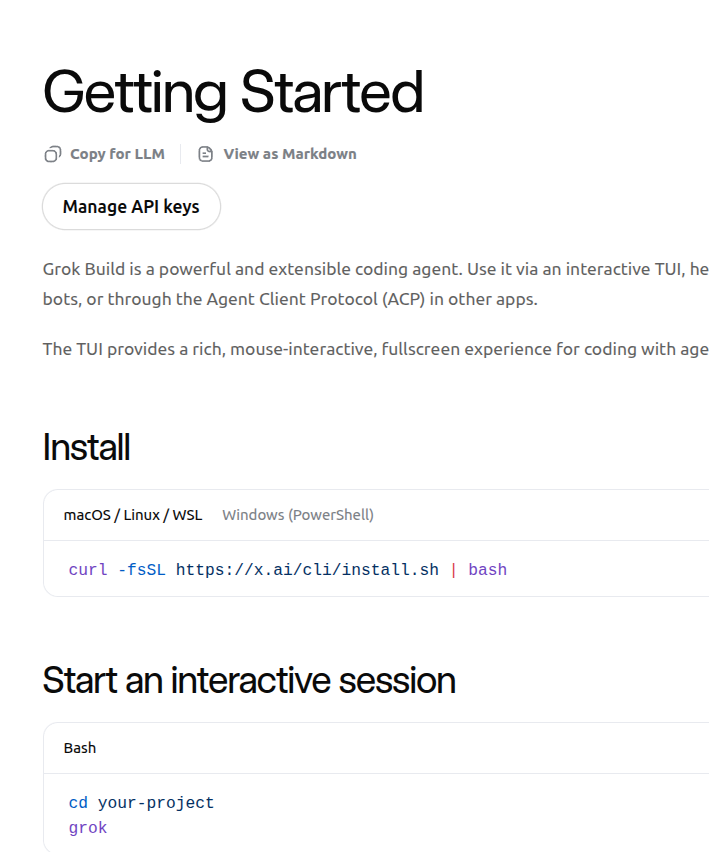
Grok Build is now available in Beta for all SuperGrok and X Premium+ users. Use Plan Mode, create images and videos with Imagine, and build automations or orchestrators with the CLI. Visit http://x.ai/cli to get started.
 #1032Rohan Paul@ROHANPAUL_AI
Grok Build beta (agentic coding agent that lives in your terminal) is now open to all SuperGrok and X Premium+ users.
Before only SuperGrok Heavy users had access.
You install it once with a single command, then you can type natural-language instructions like: “Make a rollercoaster simulator” or “Build a todo app in the style of Apple” etc..
and Grok will: - Plan Mode -> create a step-by-step plan you review and approve before it touches any code - Use sub-agents that run in parallel for complex tasks - Edit multiple files, use git, run tests, search the web, etc. - Create images and videos using Imagine (Grok’s image/video generator) right inside the workflow - Build automations or full orchestrators (you can turn sessions into reusable “skills” or connect multiple agents)

 xAI@xai
Grok Build is now available in Beta for all SuperGrok and X Premium+ users. Use Plan Mode, create images and videos with Imagine, and build automations or orchestrators with the CLI. Visit http://x.ai/cli to get started.