In case you missed it
OpenAI discusses transferring a 5% equity stake to a US public wealth fund under the Trump administration
+20 more
It’s a new day at Digg. Fresh stories are clustering now. 50% complete.
A 10x increase in agent time horizon requires far more tokens.
Thiel also predicted a democratic-socialist takeover of the Democratic Party.
The financial support arrived while Presser faced housing insecurity.
Bojan Tunguz plans to test the engagement hack next
The setup executes tasks even after local computers shut down
LLM post-training framework connecting Megatron training to SGLang rollout via a shared data buffer
Research engineer kache suggests "GPT sol" as a deployment workaround.
Bradley found packing a 200,000-token context degraded performance.
The most common response is "stop" followed by null values.
Vaibhav Srivastav suggested Codex Mobile as a thread-naming alternative.
Yishan argues the 1990s had a higher stupidity-to-real-stuff ratio.
The deal aims to ease energy and data center permitting.
He urges companies to maintain absolute control over model weights.
Creator Theo noted consistent performance when avoiding fallback triggers.
The $2.5 billion unit guarantees customer data won't train external models
The internal admission prompted debate over Meta's open-source strategy.
The reward features $50,000 cash and $50,000 in stock.
Capacity constraints are forcing the model's temporary subscription removal.
The leaked trace contained exclamations like "GRRR" and "PHEW.
The post prompted immediate community demands for its release
Anthropic will continue using Nvidia, AWS, and Google chips
The new vehicle is seven inches longer than standard models
Critics argue the corporate productivity framing trivializes the historical event.
Tasks require 12 to 72 hours of continuous interaction
Developer Teortaxes initiated the debate, critiquing Anthropic's branding.
The hybrid pipeline cuts API costs to just a few dollars.
The update supports continuous voice transcription for 15 minutes
Browne argued that meritless performance complaints distract from valid operational critiques.
Engineer kache countered that work is psychologically necessary for stability
Observers debated whether the detailed specification leak was deliberate
The proposed assistant continuously executes tasks like phone calls
The 2021 shutdown removed 25 percent of the city's electricity.
Excessive complexity makes new research harder to implement and verify
The agent autonomously iterated through 100 distinct product concepts.
The CLI assistant hosts interactive pages live on claude.ai.
It evaluates dynamic learning using the Earthborne Rangers board game.
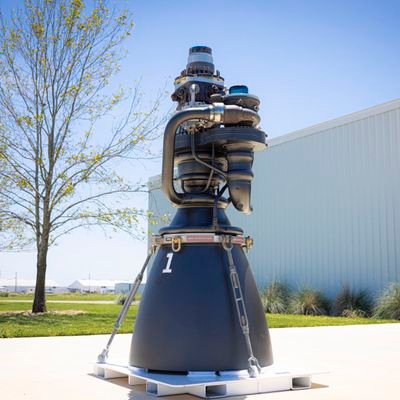
The sustained burn validated Raptor engine performance before launch
The 19-minute video shows 3D rendering and live scanning.
The overlap likely stems from web-scraped synthetic data distillation.
He warns that relying entirely on delegation risks producing lower-quality software
Safety researchers cited the incident as spontaneous agentic behavior